TARGET: Host
| Requirements | Limitations | Considerations |
|---|---|---|
Endgame installed on the target host | Only one host can be targeted at a time | IPs/Networks (such as NAC servers) that isolated hosts need to communicate with should be added under Administration -> Platform |
The hostname of the target host |
TACTIC: Isolate Host
The procedures for releasing a host from isolation are the same for placing it in isolation - the Isolate Host response action will instead be replaced with a Release Host response action.
Isolated hosts will appear on the Endpoint Details page with a status of (Isolated) - inversely, hosts that were previously isolated will have a status of (Released).

1 - Target the host
-
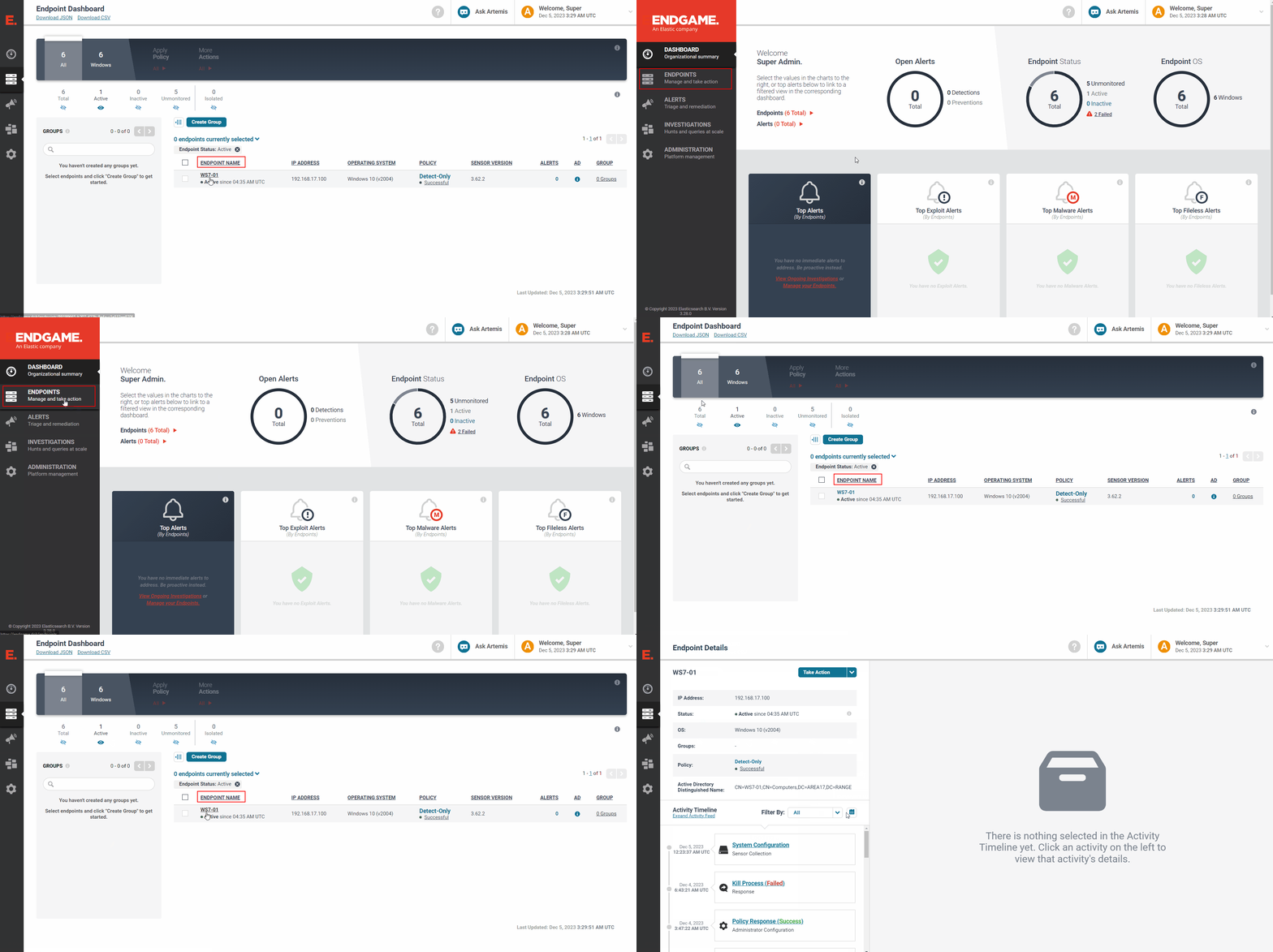
From the Endgame web UI, navigate to the
Endpointstab on the left-hand pane -
Find the hostname of interest and click on the respective
ENDPOINT NAMEto get to theEndpoint Detailspage
2 - Isolate the host
-
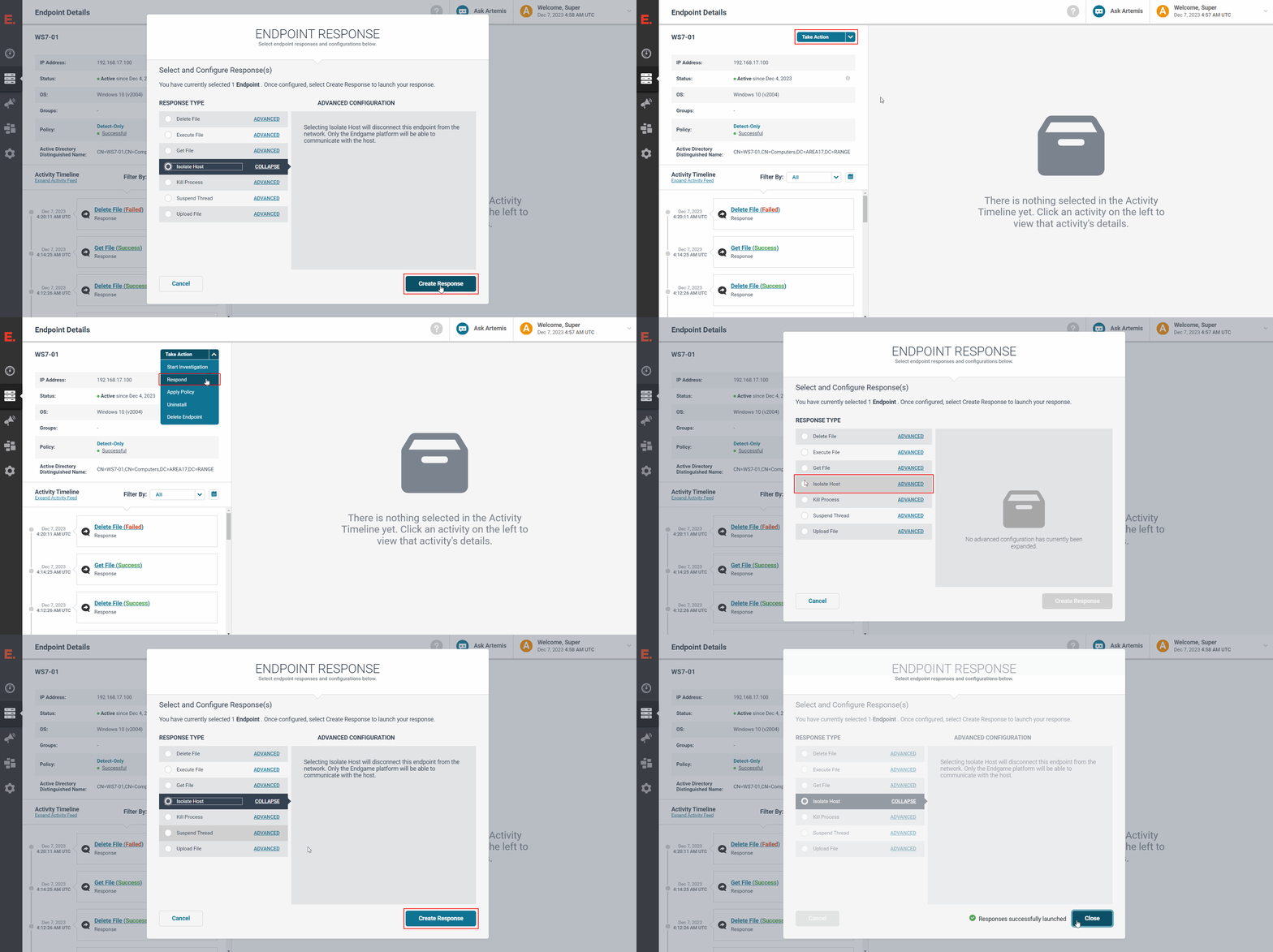
Click on
Take Action->Respond -
Click on the
Isolate Hostradio button -
Click on
Create Response -
Verify that the
Responses successfully launchedmessage appears and clickClose
3 - Verify the response results
-
Wait for the
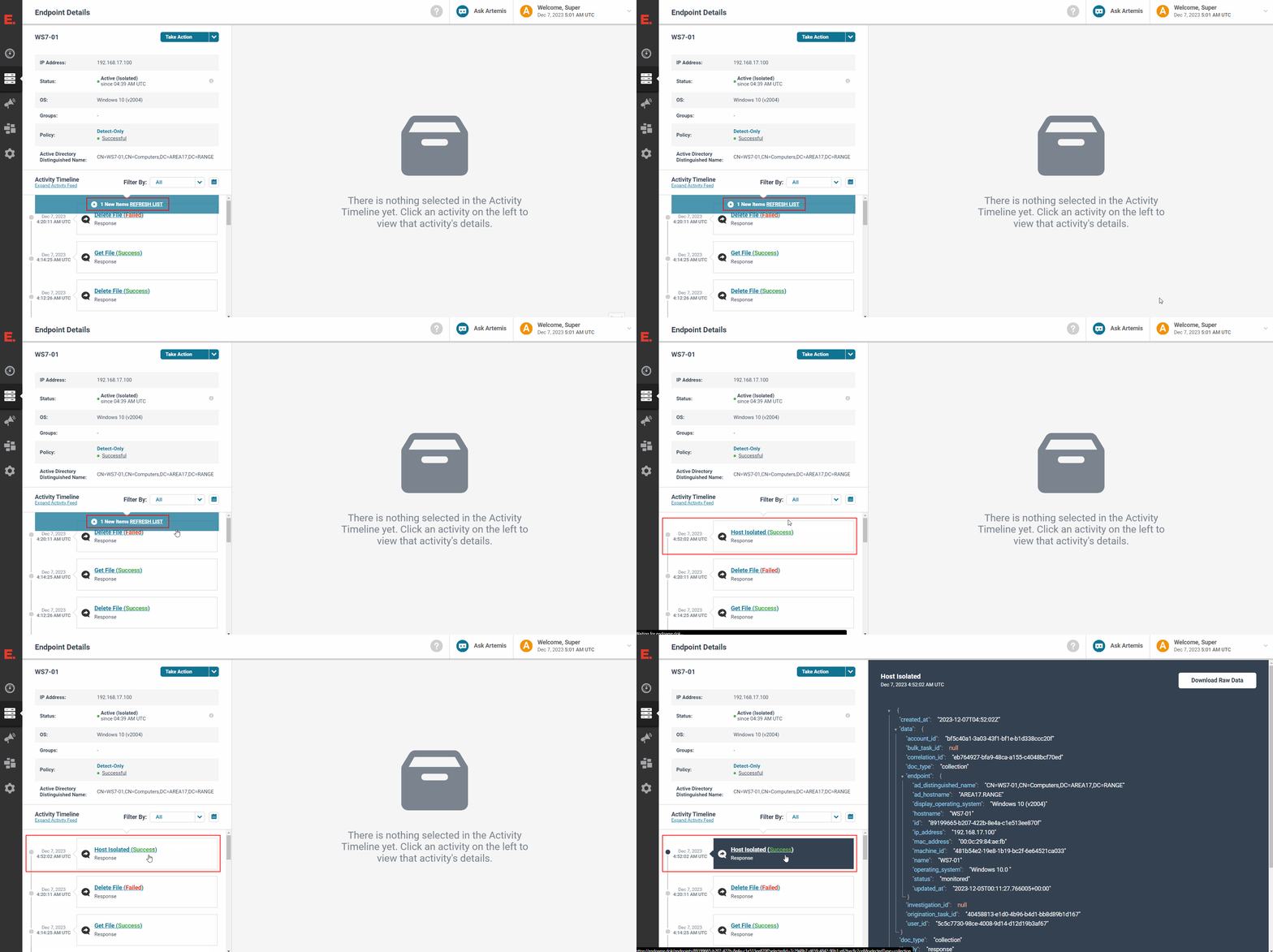
Activity Timelineunder theEndpoint Detailson the left-hand pane to update with aREFRESH LISTnotification -
Click on the
REFRESH LISTnotification -
Verify that the newest
Host Isolatedresponse entry under theActivity TimelinesaysHost Isolated (Success)
NOTE: If the entry says
Host Isolated (, click on the entry to expand the log message to investigate why the response failedFailed)