2a. Creating Vulnerability Scan Policies
Credentialed Patch Audit Policy
-
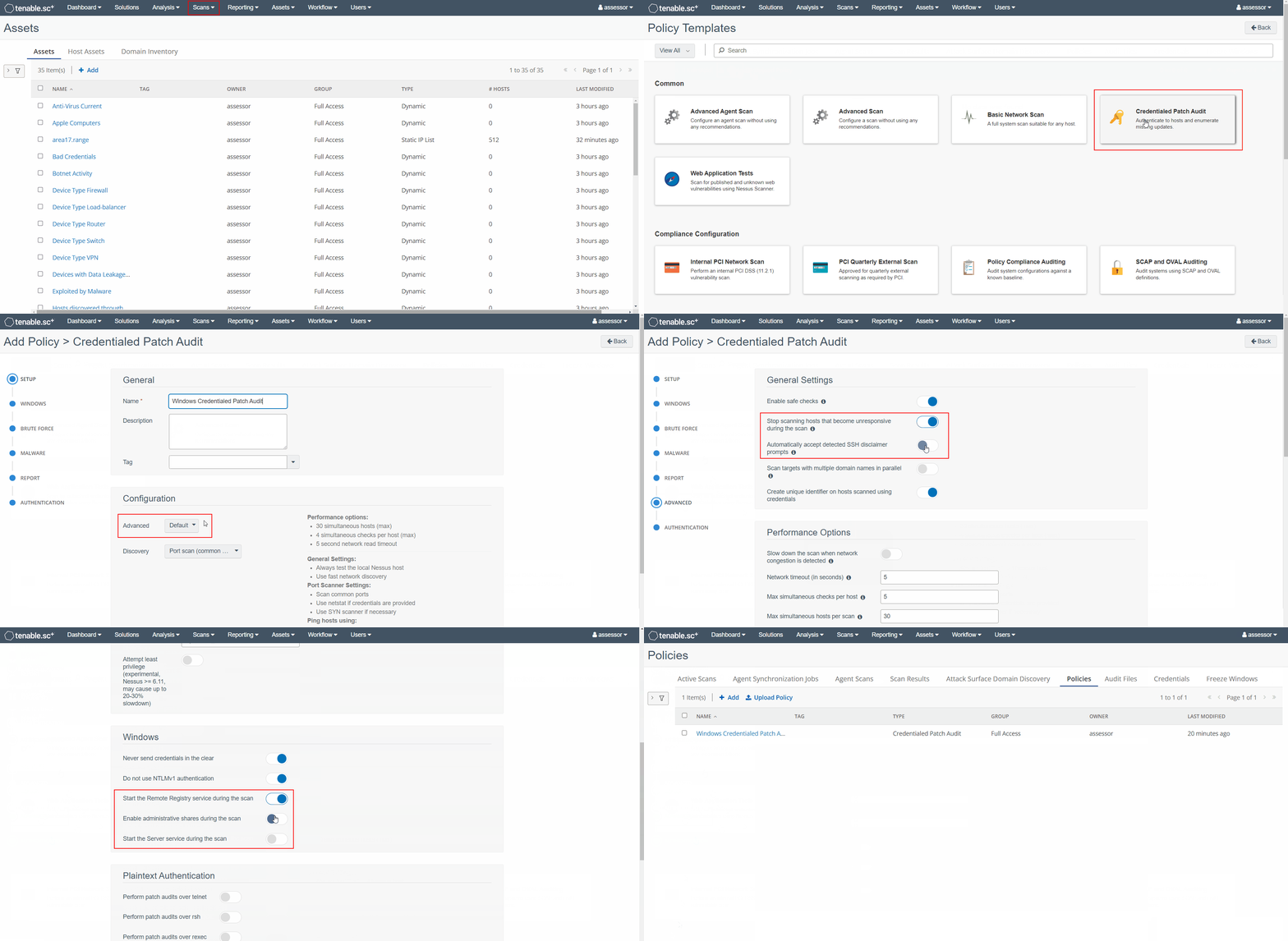
From the top menu bar navigate to
Scans -> Policiesand click +Add -
From the Policies select the Credentialed Patch Audit policy template
-
From the Add Policy > Credentialed Patch Audit page:
-
Under the Setup tab:
a) Enter a Name for the policy
b) Set Advanced toCustom -
Under the Advanced tab, enable the following options:
-
Stop scanning hosts that become unresponsive during the scan -
Automatically accept detected SSH disclaimer prompts
-
-
Under the Authentication tab, for Windows hosts, enable the following options:
-
Start the Remote Registry service during the scan -
Enable administrative shares during the scan -
Start the Server service during the scan
-
-
-
Click Submit to complete the configuration