Initial Setup (Virtual Machine)
info
This guide is built using VMWare Workstation and a Windows 10 VM
Before you install software - Ensure you have enough HDD space allocated - Recommend minimum of 128 GB as the Install Package is substantial
Install Software based off of Vender instructions to your VM
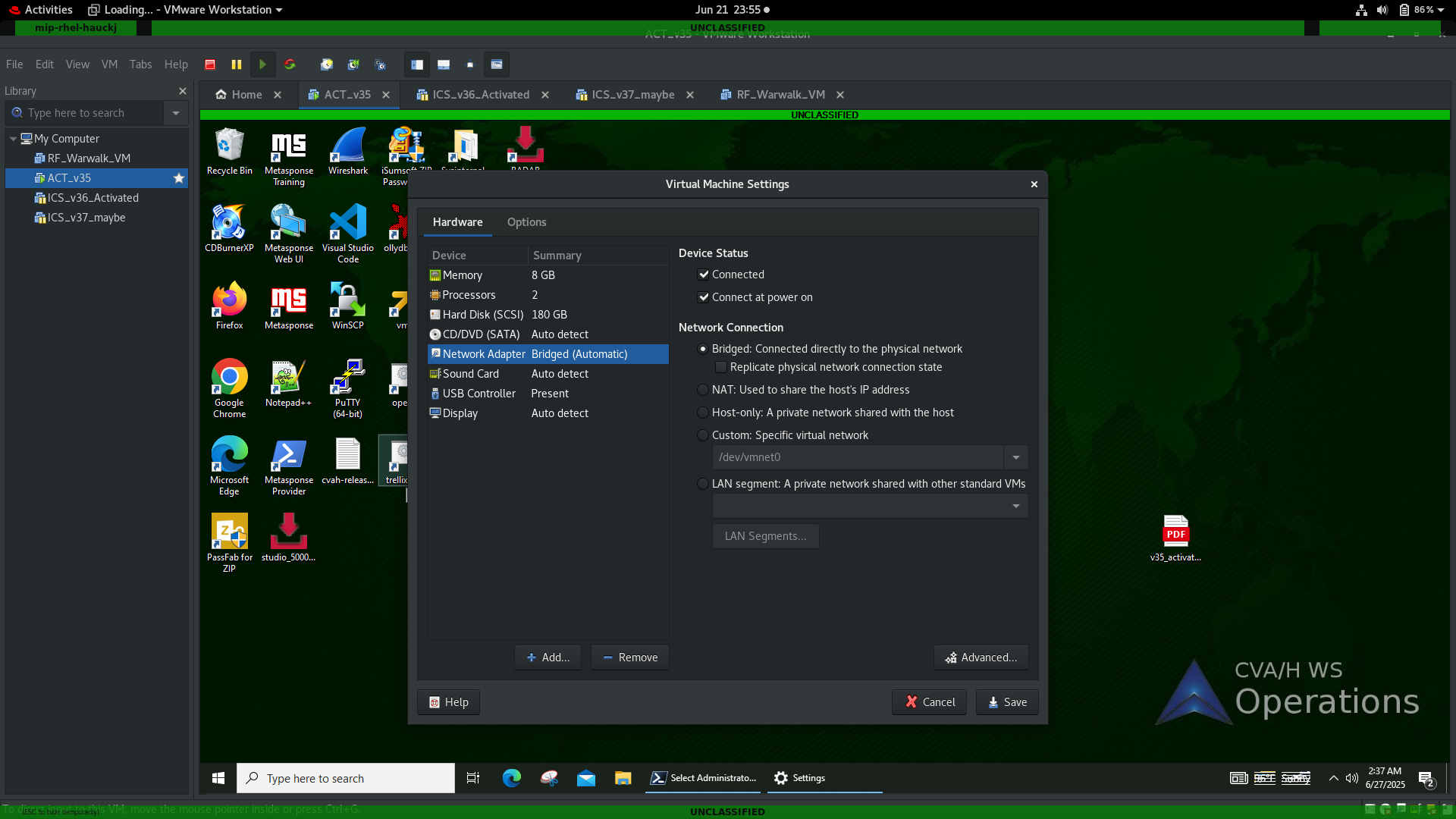
- Change your VM settings to Bridged Connection in your Networking settings
note
Once you have installed the software, and applied the license, turn off Time sync in your VM settings and then take a snapshot of the VM
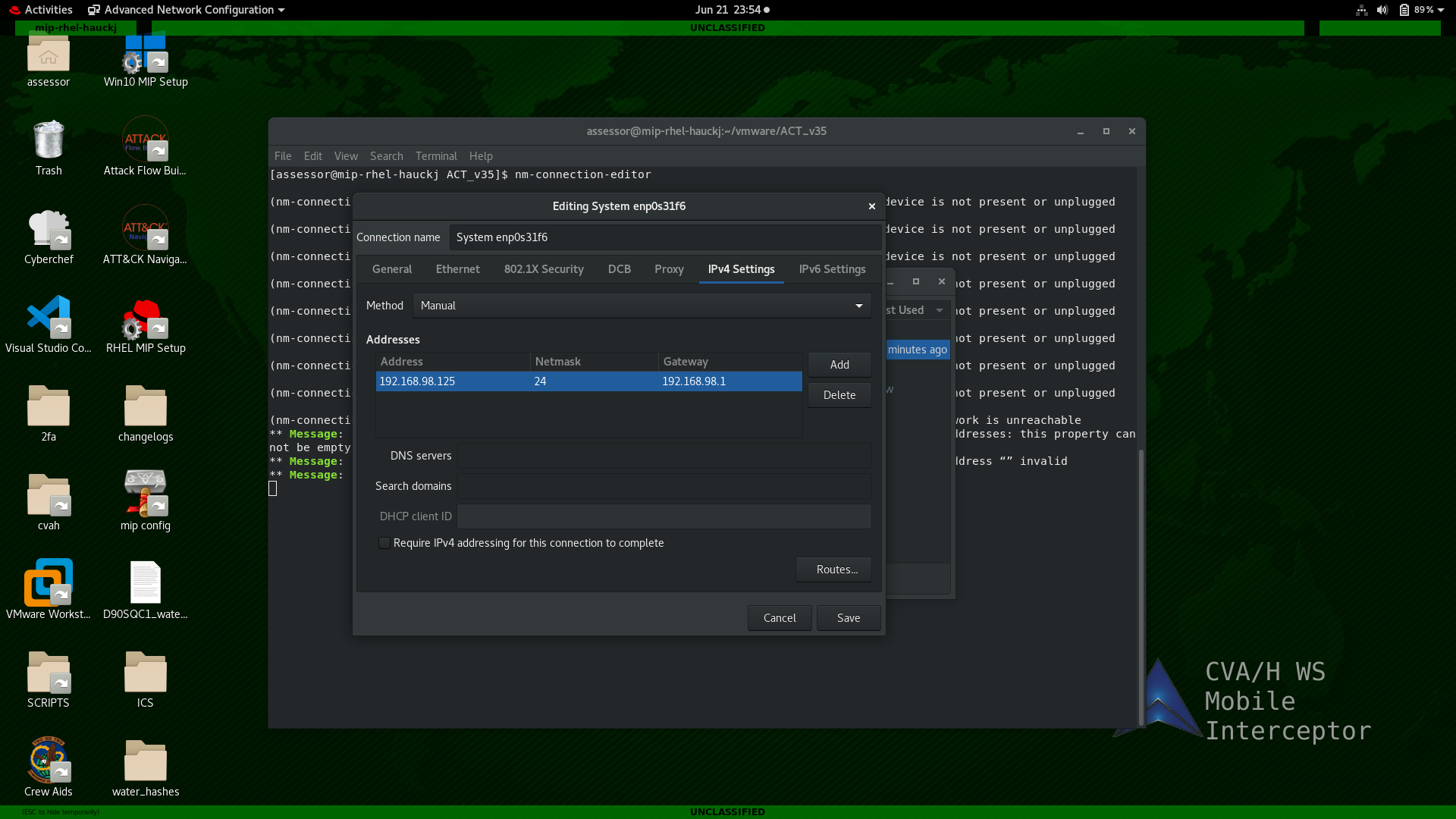
- Change your host workstation IP to match that of your operating environment IP scheme ensuring you do not use duplicate IP's
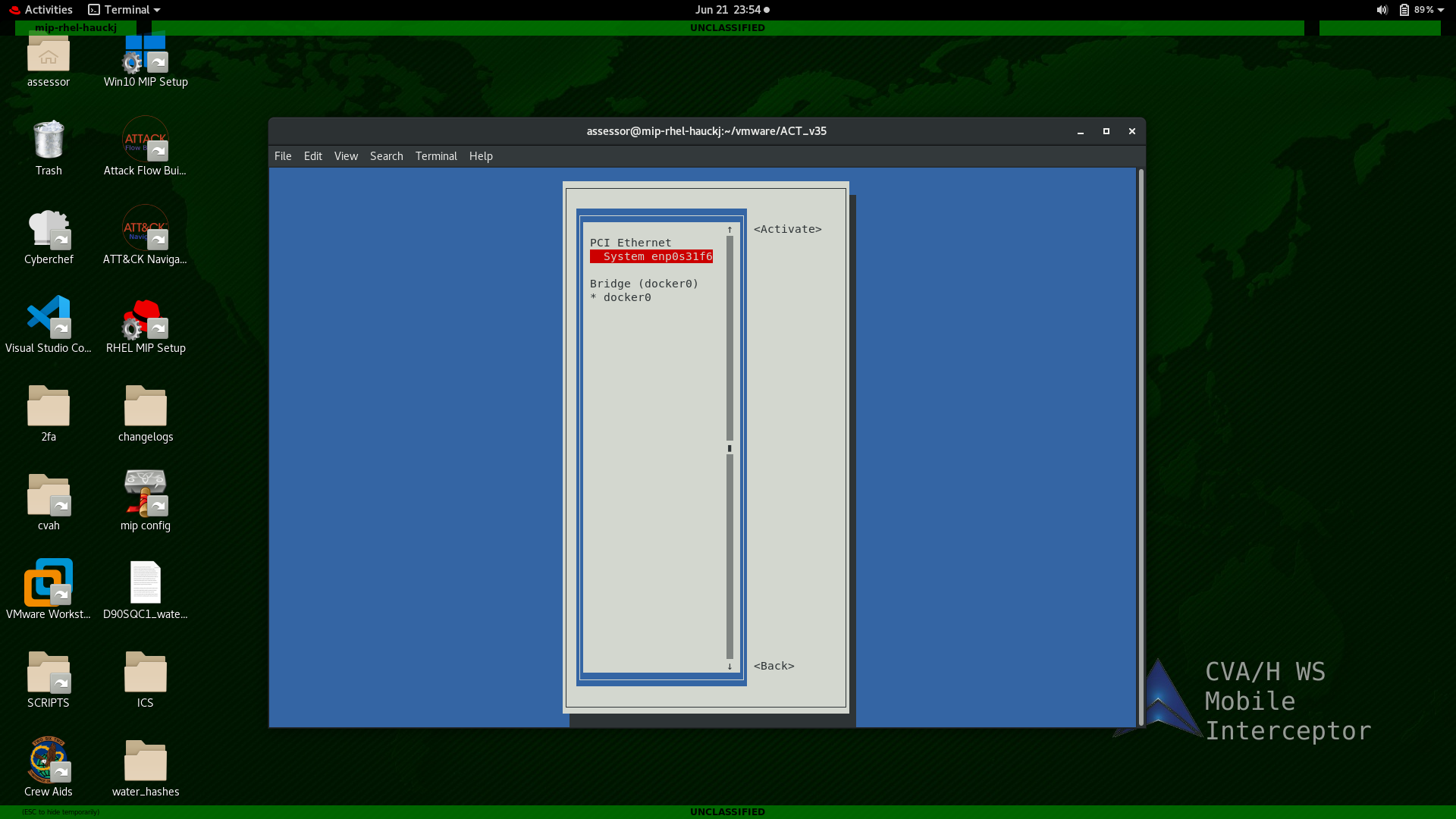
- Before you are able to connect to your equipment, you may need to turn your interface off/on
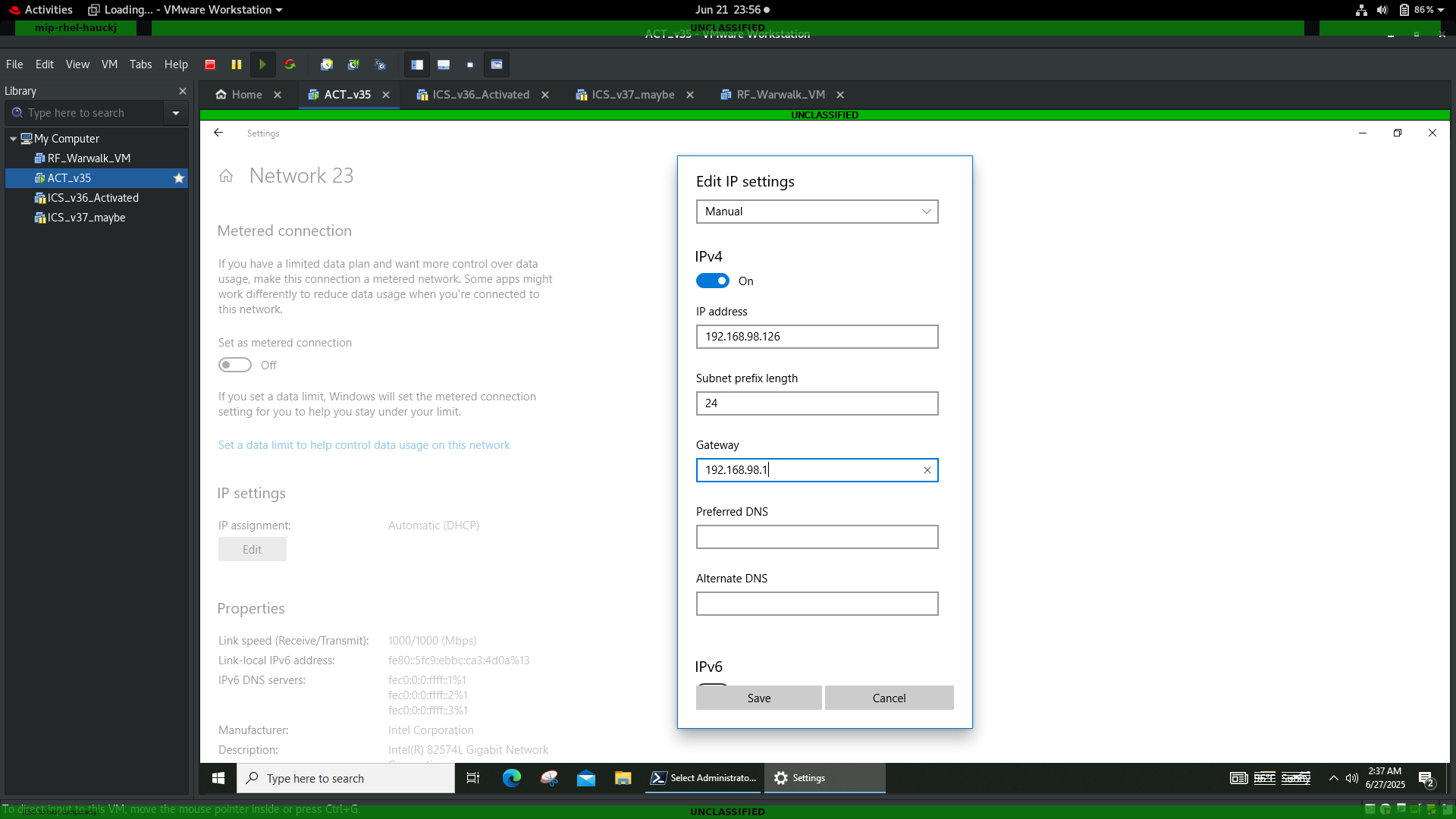
- Set your VM IP and subnet mask to be on your target network