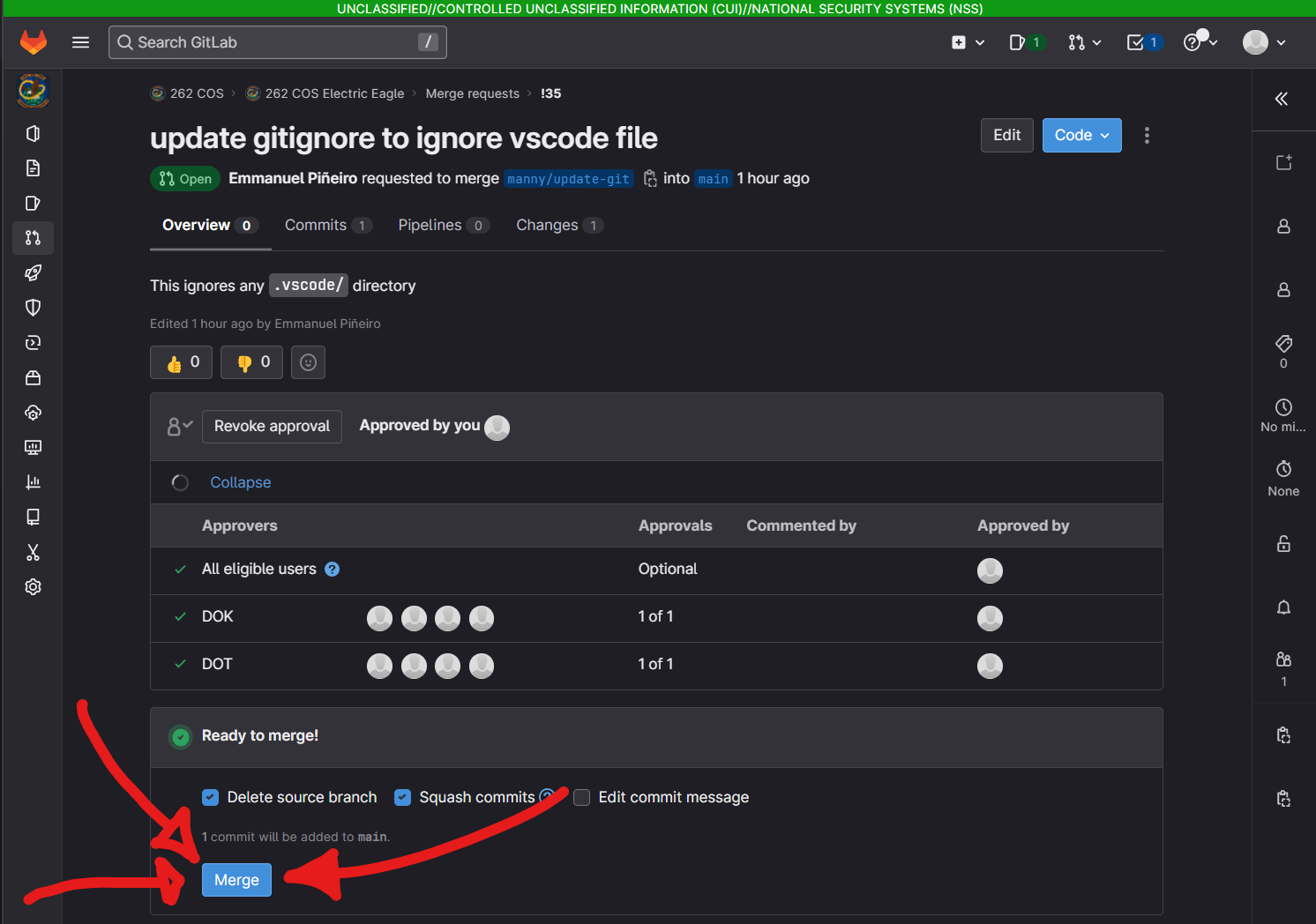
Merge
Create A Merge Request
- In your browser, go to the
repo>code>branches- CREW AIDS - branches page
- SCRIPTS - branches page
- find your branch and click
merge request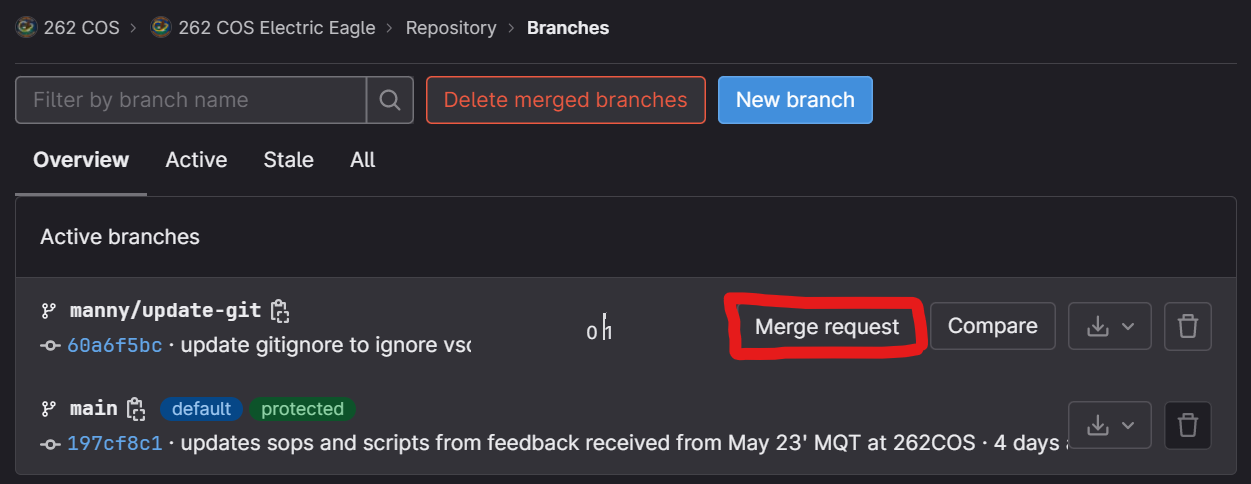
- fill out the fields
- Title should just pull your commit comment
- Description describe the intent of your changes and how to test or what to look for
- Leave the
Merge optionsas they are
- at the bottom, click
create merge request
Merging
Once the required approvers have approved the merge request you're ready to merge! Anybody can merge it, but if the merge fails for whatever reason, it's typically best the person who submitted the merge request be there to figure out what's wrong.
note
If pipelines are introduced, they'll have to successfully complete as well prior to merging, but as long as the green check mark that says Ready to merge! is there, you're ready to merge!