Reviewing a Merge request
The merge request is to be reviewed by someone other than the author of the commit. This is the place to question things before applying the changes from this working branch into the main branch. Often times, discussions will lead to more changes. If changes need to be made, the original author can make the new changes to their same local branch, push the changes, and the merge request will reset any approvals and show the new changes.
Browser
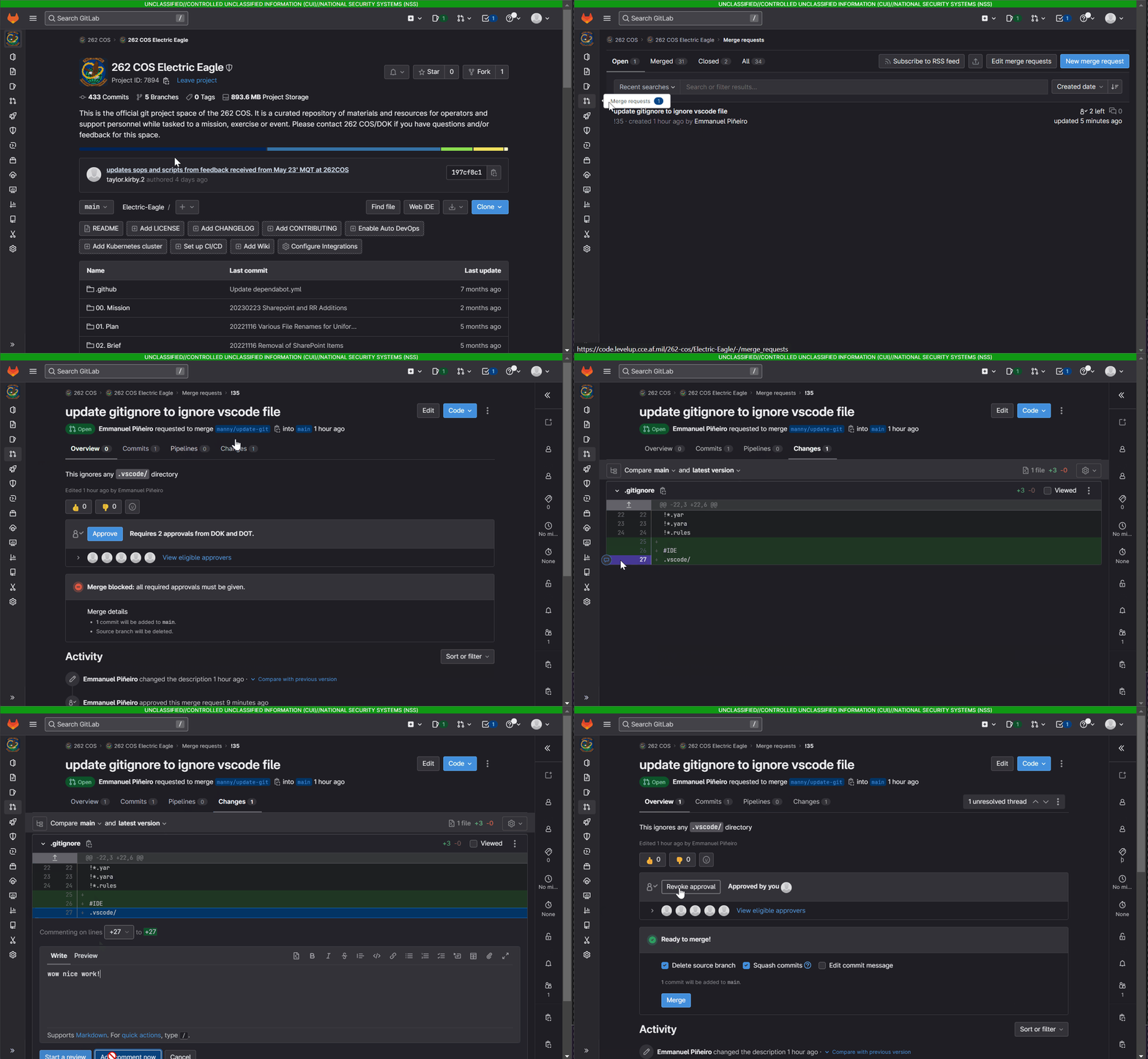
- In your browser, go to merge requests
- From the list, select a merge request
- The overview tab contains the approve button along with a section you can leave comments that don't correspond to any specific line of code.
- Select the chagnes tab
- While reviewing the changes, you can
add comment noworadd to review- add comment now: immediately leaves a comment and pushes a notification
- add to review: leaves a comment, but doesn't publish it until you click
finish reviewat the bottom. This sends out a single notification for all the comments you leave in a review
- Select the Overview tab
Local
Sometimes you want to see the changes on your desktop, but are working on something you don't want to lose. What do you do!? There are a few things you can do, but for simplicity, we're going to clone a new repo just for reviews
- In your terminal, navigate to where you want to clone the repo and run:
In the URL, don't forget to change the <username> to your username!
git clone https://<username>@code.levelup.cce.af.mil/262-cos/Electric-Eagle.git review-electric-eagle
- Checkout the branch you want to review
git checkout <some/branch>
- When you're done, you can delete the review-electric-eagle directory
You don't have to delete it as long as you're comfortable discarding any changes you made, pulling the repo, and checking out whatever branch.